


Xplane Scripting House · X-Plane 12 Coming first
Visual and Lua scripting for X-Plane
Script X-Plane with node graphs, Lua, or both.
- Free
- Open source · MIT
- X-Plane 12
- Windows 10/11
-- every graph can use this as a node
xsh.export("distance_to_aircraft", {
    inputs = { "pos:vec3" },
    outputs = { "metres:float" },
    pure = true,
}, function(pos)
    return pos:distance(xsh.aircraft().position)
end)Two ways to script, one add-on
Equals: use either, or both, for anything.
Node graphs, no code needed
Visual scripting
For example
- Vehicles on routes
- Areas the aircraft enters
- Step-by-step sequences
- Living scenery, no code
- …and whatever you dream up
Code, as far as you want to go
Lua scripting
For example
- Big or math-heavy logic
- Your own datarefs and commands
- Files, JSON, tables
- New nodes for graphs
- …and whatever you dream up
Better together
Lua
- New nodes
xsh.export - Shared variables
xsh.graph.get / set - Events, both ways
xsh.events.send / on - Lua errors in the editor's Log
Graphs
local xsh = require("xsh")

-- a Call Lua node: the graph waits while the cart drives the route
xsh.export("demo.tow_to", {
    inputs = { "role:string", "speed:float" },
    outputs = { "spline:string", "seconds:float" },
}, function(role, speed)
    local ref = assert(xsh.spline.find({ role = role }))
    local cart = assert(xsh.object.create("crew/golf_cart.obj"))
    local t0 = xsh.time.sim()
    local m = assert(cart:follow(ref, { speed = speed }))
    xsh.wait_until(function() return m.done end)
    return ref, xsh.time.sim() - t0
end)

-- change a variable the graph shares
xsh.graph.set("tow.cmgraph", "carts", 2)

-- start the graphs' On Event "tow_ready"
xsh.events.send("tow_ready")graph_bridge.lua that comes with XSH.Visual scripting: the graph editor
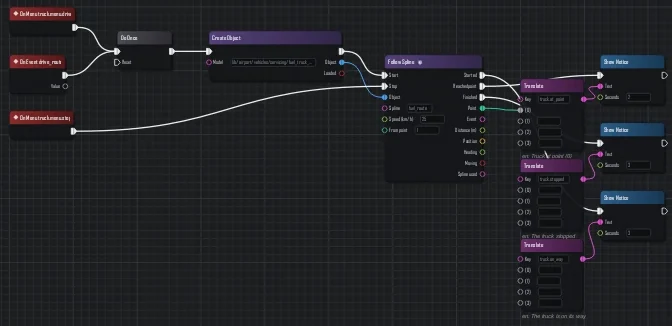
Events on the left, actions on the right. Close to Unreal's Blueprints.
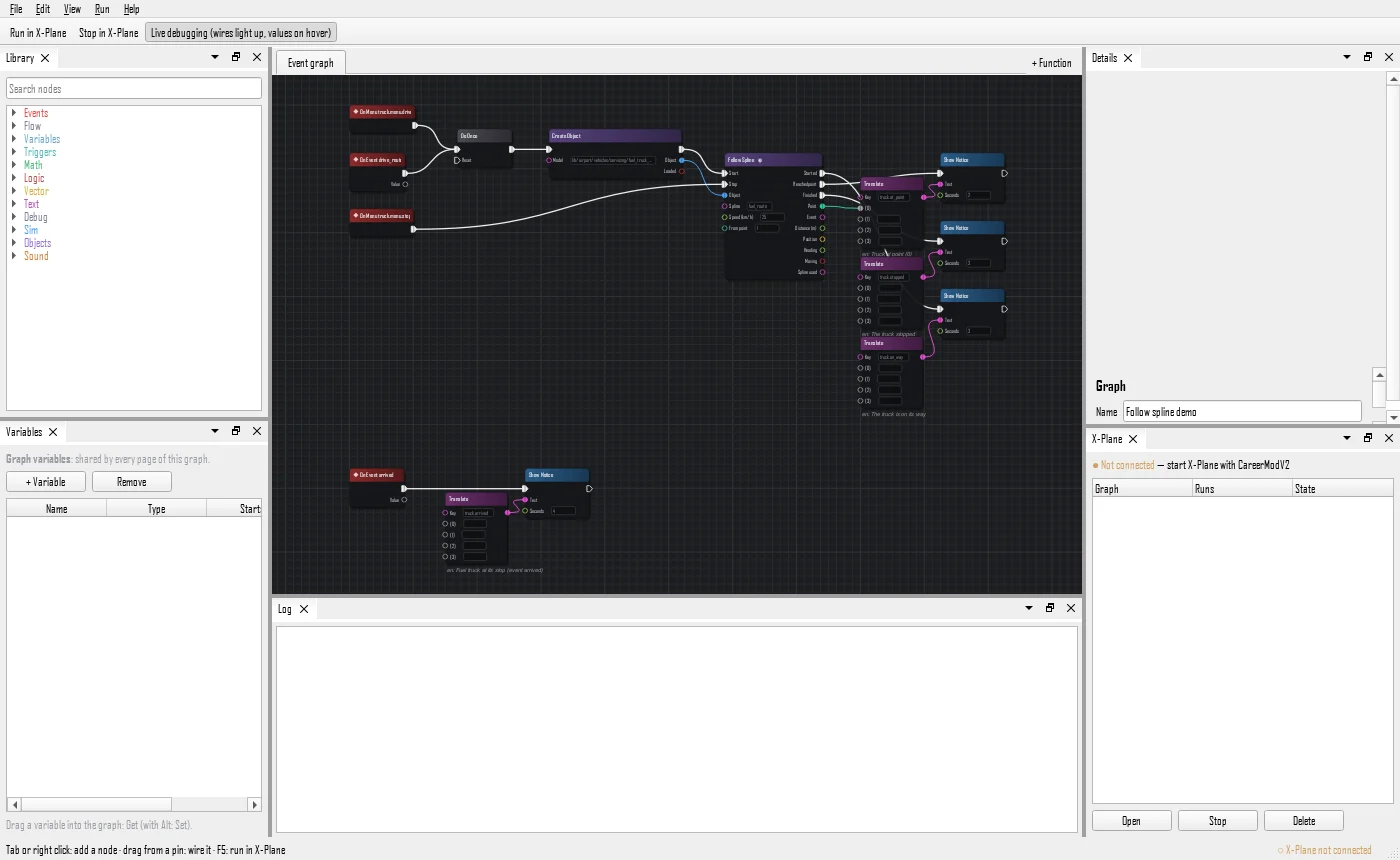
Run it in the sim
F5 runs it, F6 debugs it live.
A library of nodes
Tab to add, drag to wire.
Global, per scenery or per aircraft
Every flight, near an airport, or in one aircraft.
Aware of the world
Follows routes, reacts to triggers.
Functions and tidy graphs
Functions and auto-layout.
Translated
Notices in the pilot's language.
Lua scripting
- LuaJIT 2.1
- sandbox
- VS Code
- Events, timers, waiting
- Hot reload on save
- File and line on errors, a watchdog
- Sandboxed, no clash with XLua or FlyWithLua
- Completion in VS Code
-- scripts/hello.lua: runs on every flight,
-- and reloads as soon as you save it
local xsh = require("xsh")
local agl = xsh.dataref("sim/flightmodel/position/y_agl")

xsh.on("start", function(info)
    xsh.state.runs = (xsh.state.runs or 0) + 1
    xsh.notice("Hello from Lua (" .. xsh.state.runs .. ")", 0, 4)
end)

xsh.events.on("tow_coming", function()
    xsh.log("tow coming, " .. math.floor(agl.value) .. " m AGL")
end)Where it stands
- The VM
- The API
- Graphs + Lua
- 4NowAircraft systems
- 5Cockpit screens
Download
Not released yet
Coming first.
Source code
- C++17 core
- LuaJIT (no FFI)
- Qt 6 editor
- X-Plane plugin
Source code on GitHub: coming soon